Build A Repeatable Input Habit
Most creators already collect references. They save ads, product demos, creator hooks, launch videos, walkthroughs, trailers, and short clips that have a useful rhythm. The problem is that a folder of references is passive. It can inspire a project, but it does not automatically become prompt language for the next AI video tool.
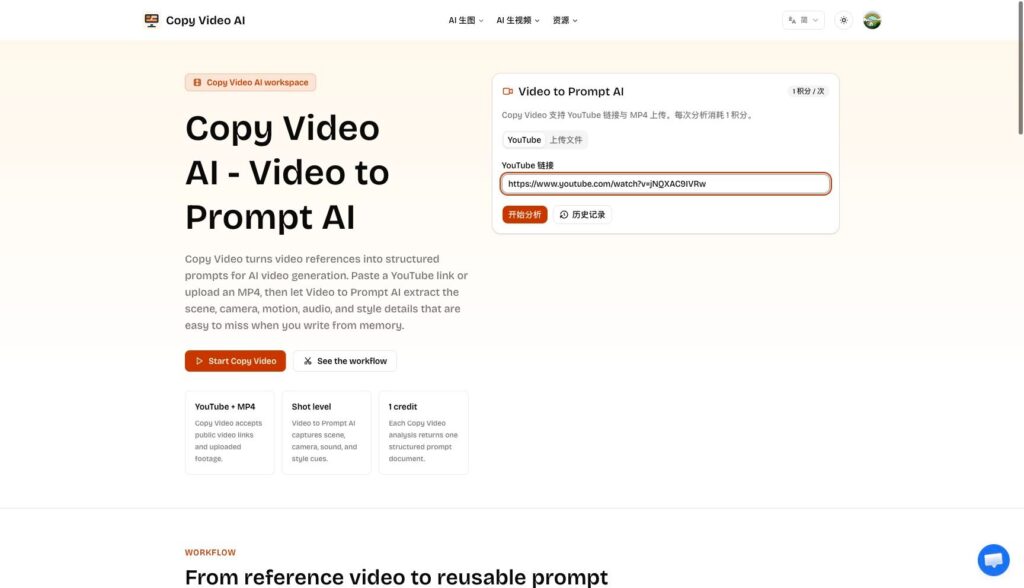
I tested Copy Video as a way to make those references more usable. The product accepts a YouTube link or an uploaded MP4, then analyzes the clip into a structured prompt. On the live homepage, the generator is not hidden. The YouTube input, upload option, history button, and one-credit analysis cost are all visible in the working interface.
That matters because prompt libraries need a habit, not just a tool. If the process is too slow, creators will save links and never process them. If the process is direct, they can analyze references right after discovering them. A useful habit might be simple: collect a clip, run it through the analyzer, save the resulting prompt, and tag it by format, hook, scene type, motion, and platform.
For my test, I used a short public YouTube video and ran the analysis from the homepage. The workflow was straightforward: paste the link and click the analysis button. The result arrived quickly enough to feel like a practical research step rather than a full production job.
Capture Production Details That Notes Usually Miss
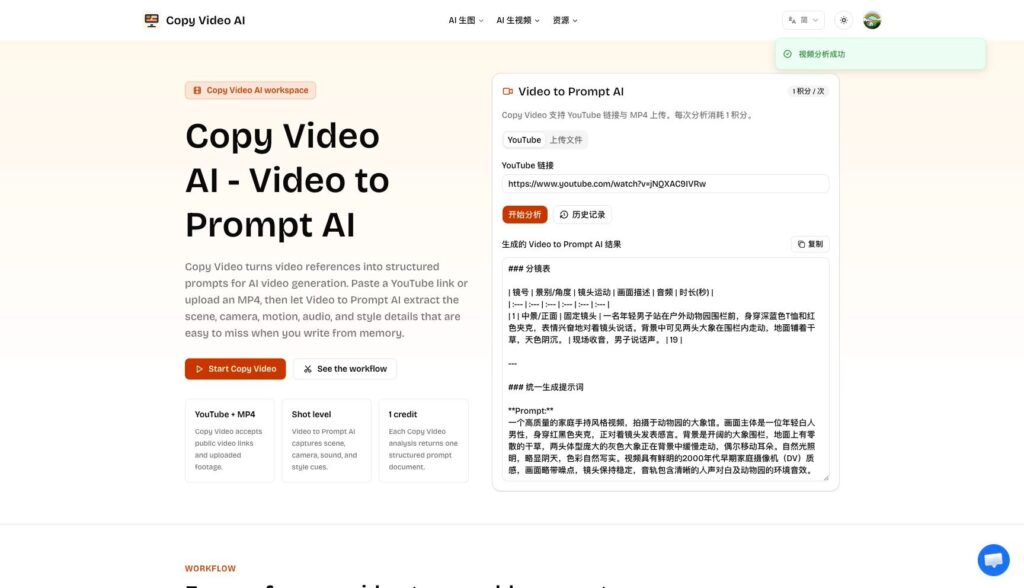
The output showed why this kind of tool is useful. It did not only identify the subject. It returned a shot table and a unified prompt. In the test result, the prompt named the outdoor zoo setting, the fixed camera, the young man facing the lens, elephants moving in the background, natural overcast light, a 2000s DV feel, speech audio, and environmental ambience.
Those details are easy to skip when writing notes by hand. A creator may write “casual zoo clip” or “old YouTube style,” but a stronger prompt needs more. It needs framing, light, motion, background behavior, texture, and sound. Video to Prompt helps turn those hidden production cues into reusable text.
There is also a review benefit. If a prompt library is built from structured outputs, it becomes easier to compare references. One video might rely on fixed camera intimacy. Another might rely on fast motion and hard cuts. A third might depend on sound design more than visuals. When those qualities are written down consistently, the library becomes searchable and teachable.
The tested output appeared in Chinese because the active route was `/zh`. That is not a failure, but it is a reminder to set the right locale before building a shared library. For English content teams, language consistency matters when prompts are handed to editors, contractors, or clients.
Turn Saved Prompts Into Creative Variations
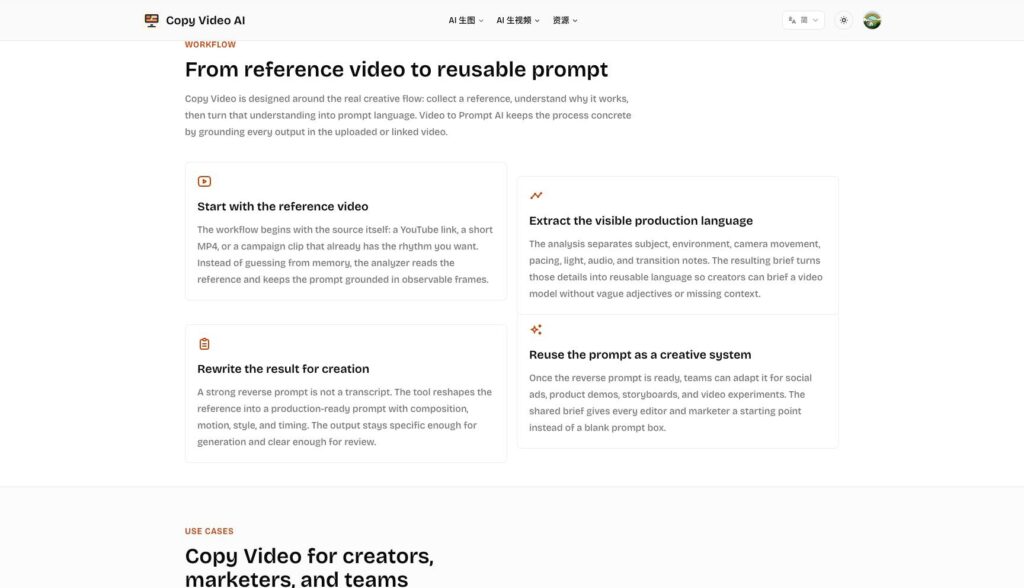
The real payoff comes after the first analysis. A prompt library can support many workflows. A YouTube creator can group prompts by opening a hook. A marketing team can organize them by offer type. An editor can keep separate sets for product demos, social ads, founder clips, tutorials, and cinematic scenes. Over time, the team develops a vocabulary that is grounded in real examples.
Remix Video fits naturally into that system. A prompt from a reference should not be treated as a script to copy. It should be treated as a scaffold. Change the product, audience, channel, pacing, and brand voice. Keep the production logic that made the reference useful, then adapt the creative direction for something new.
There are practical limits. The tool requires credits, and every prompt still needs human judgment. A reference may include creative choices you do not have rights to reuse directly. A generated prompt may need trimming before it works in a specific model. But the overall workflow is sound: turn references into structured notes, then turn those notes into better prompts.
For creators who already collect video examples, Copy Video AI makes the collection more active. It moves references out of a bookmarks folder and into a working prompt system.
The library becomes even stronger when each saved prompt includes a short human note. After the generated prompt, add why the reference was saved, what should be preserved, what should be changed, and which platform it fits. A prompt for a product demo may need a different length than a prompt for a short social clip. A prompt based on a casual handheld video may need to be cleaned up before it fits a polished brand.
This small layer of editorial judgment prevents the library from becoming a pile of unreviewed machine output. The AI analysis captures details quickly, while the creator adds intent. Together, they make the prompt easier to reuse later. When a new campaign begins, the team can search for a reference by hook style, camera setup, pacing, or emotional tone instead of digging through old links.
That is the difference between inspiration and infrastructure. Inspiration helps once. A well-labeled prompt library can help every week.
It can also make collaboration easier. A creator can share the original reference, the generated prompt, and a short note about the intended remix. A teammate can then improve the wording without needing to rewatch the whole clip. Over time, the best prompts can become templates for repeatable formats rather than one-off experiments.