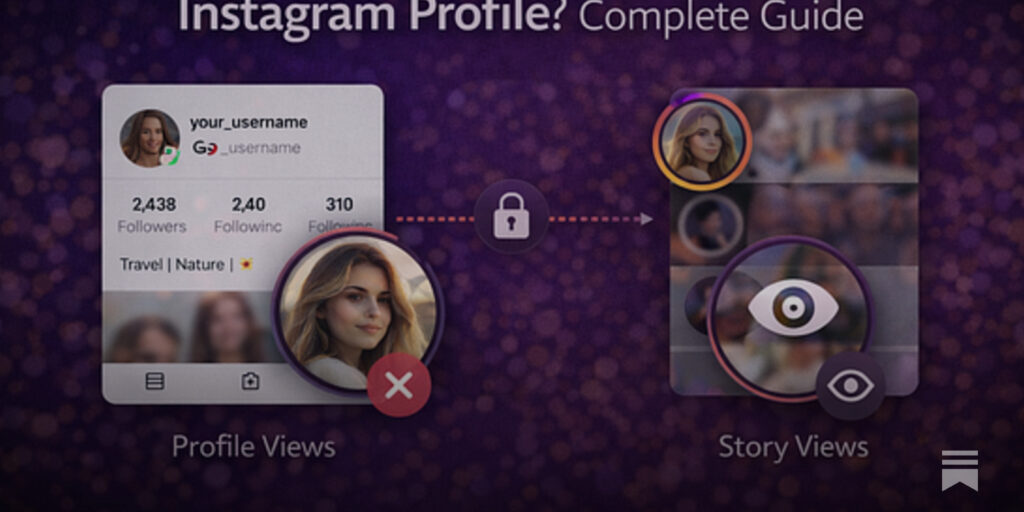
Instagram used to let anyone open a public profile in a browser and scroll freely. Over the past several years that has changed. Visit a profile logged out today and you will usually see a handful of posts before a login wall slides up, and on mobile the app is pushed on you before you see anything at all. That friction created a small category of web tools known as profile viewers, which let you look at public account information without signing in. This guide explains what is happening under the hood when you use one, the hard limits that privacy settings impose, and the situations where reaching for a viewer is a reasonable choice rather than a questionable one.
Why the login wall exists in the first place
Instagram’s parent company has two reasons to push logged-out visitors toward an account. The first is commercial: a logged-in user can be shown ads, tracked across sessions, and nudged to follow and post. The second is defensive: anonymous traffic is harder to rate-limit and easier to automate, so requiring authentication lets the platform throttle scrapers and spam bots more effectively. Neither reason has much to do with protecting the person whose profile you are viewing, since a public profile is visible to anyone who gets past the wall.
The practical effect for ordinary people is annoyance. A parent checking whether a youth sports league posted the weekend schedule, a hiring manager glancing at a designer’s portfolio, or a journalist confirming that a quote came from a real account all hit the same prompt. Profile viewers exist to remove that step for public content.
What a profile viewer is doing when you type a username
From the user’s side, the experience is simple: you enter a handle, press a button, and see the profile picture, bio, follower and following counts, post count, and a grid of recent public posts. Behind that, the tool’s server is doing the work your browser would normally do, but from a position where it is allowed to.
Most viewers operate through one of two paths. Some request the public profile page or Instagram’s public web endpoints from their own infrastructure, parse the response, and render a cleaned-up version for you. Others sit on top of a data API, a structured service that returns public account fields in a predictable format, which the viewer then displays. FastSocial runs its viewer alongside its own Instagram data API, and the same public fields that feed the viewer are available to developers through a free API key. Either way, the key point is that the request never includes your credentials, because you never entered any. The server fetches public information and passes it along.
Good viewers also handle the details that make a raw scrape unpleasant: resizing profile images, expanding a truncated bio, showing full-resolution thumbnails, and sometimes offering a download button for public photos, Reels, or stories. That last feature is where tools diverge in quality. A well-built viewer refreshes data on each lookup; a poorly built one shows you a follower count from last month.
The limits privacy settings impose
This is the section that matters most, because a lot of marketing around these tools implies abilities they do not have. A profile viewer can show you only what Instagram already makes public. That rule has several concrete consequences.
- Private accounts stay private. If a user has set their account to private, a viewer will show the profile picture, username, bio, and the follower and post counts, which Instagram displays to everyone. It will not show the posts, the stories, or the follower list. Any tool claiming otherwise is either lying or doing something that violates Instagram’s terms and probably the law.
- Close Friends and archived content are invisible. Stories shared to a Close Friends list, archived posts, and content the owner has hidden are not part of the public record and cannot be retrieved.
- Direct messages are off the table entirely. No viewer, free or paid, can read someone’s DMs. That data is never exposed publicly in any form.
- Viewing does not notify the account owner. Because the request comes from a server rather than a logged-in user, no “seen” marker is created for stories and no profile-visit signal is attached to you. This is the anonymity people are usually looking for, and it applies only to public content.
There is also a softer limit: Instagram changes its page structure and rate limits regularly, so viewers occasionally break for a few hours or days until they are updated. A tool that is maintained by an active team recovers quickly; an abandoned one simply stops working.
Legitimate uses, and the line you should not cross
Most people who use a profile viewer are not doing anything sinister. Common and perfectly reasonable cases include:
Checking a business before you buy from it. Small shops increasingly run their entire storefront through Instagram. Looking at their recent posts, how often they update, and whether customers tag them tells you more than a star rating on a marketplace. Doing that without creating an account is a convenience, not a privacy intrusion.
Studying competitors and peers. If you run a bakery, a design studio, or a fitness coaching page, seeing how similar public accounts structure their bios, highlights, and content mix is basic market research. An Instagram profile viewer makes it easy to run through a dozen accounts in a few minutes and take notes without leaving a trail of profile visits or accidentally tapping follow.
Verifying identity and sources. Recruiters confirming that a candidate’s portfolio handle is real, journalists checking that an account quoted in a story exists and has the history it claims, and moderators investigating impersonation reports all benefit from a quick, logged-out look.
Keeping tabs on your own public footprint. Many creators use a viewer to see exactly what a stranger sees when they land on the profile, which is surprisingly hard to judge from inside your own logged-in app where you are shown everything.
The line is crossed when the goal shifts from information to surveillance of a specific person who has signaled they do not want to be watched. Repeatedly monitoring an ex-partner’s public posts, trying to piece together someone’s location from tagged photos, or attempting to get around a private setting are not tool problems; they are behavior problems, and no viewer should be used for them. The responsibility sits with the person at the keyboard.
Where growth tools fit alongside a viewer
Profile viewers are frequently offered by companies that also sell Instagram growth products such as followers, likes, and views, and it is worth being clear-eyed about that relationship. The viewer is a genuinely useful free utility; the paid products are a separate decision. If you are building a new account and consider buying a small batch of followers or likes to make the profile look less empty, treat it as social proof and nothing more. Purchased numbers do not create real engagement, do not teach the algorithm anything about who should see your posts, and cannot substitute for posting consistently. If you go ahead, keep the boost modest relative to your actual audience, use the slow drip delivery option so growth looks natural, keep posting, and stay within Instagram’s rules. Then use the viewer to check how the profile reads to a stranger.
How to pick a viewer you can trust
Because the category is crowded, a few quick checks separate the solid tools from the sketchy ones. The tool should never ask for your Instagram username and password; a viewer that does is collecting credentials, not viewing profiles. It should load over HTTPS and work without installing a browser extension or app. The results should match what you see when you open the same public profile logged in, including an accurate follower count and the most recent posts. It should state plainly that private accounts cannot be viewed. And it should be clear about who runs it, with a real company name and contact details rather than an anonymous landing page.
Viewed through that lens, a profile viewer is an unremarkable piece of web plumbing: it fetches public data from a place that lets it, cleans it up, and shows it to you without a login prompt. Used for research, verification, and curiosity about public accounts, it saves time and keeps your own activity out of the picture. Used to push past someone’s privacy choices, it does not work, and it should not.