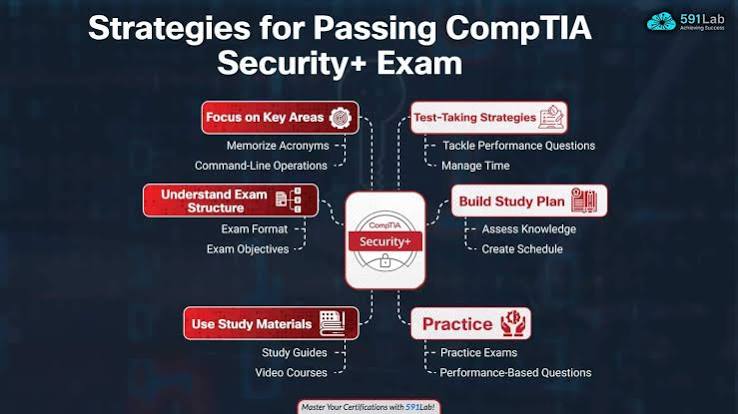
Professionals studying after work do not always go as planned because late meetings and family responsibilities can take up the time set aside for preparation. Some days, there may be only a short window to study, while other days allow more time to practice. A CompTIA Security+ study plan helps divide the syllabus into smaller tasks, making it easier to keep track of what has been covered. This eight-week schedule sets out what to study each week, along with time for practice and revision, while leaving room for changes in work hours and prior knowledge.
Understand What the CompTIA Security+ Exam Covers
Check the exam code before buying a book or starting an online course, as the material may be for an older version. Keep the CompTIA Security+ exam objectives open while studying and mark each topic as it gets covered, so it becomes clear which areas are done and which still need work.
The CompTIA Security+ syllabus includes security concepts, threats, secure system design, security operations, and risk management. For example, candidates may learn how to recognize a phishing attempt, control access to information, or respond to a security incident.
The CompTIA Security+ exam objectives provide a list of topics that learners can use to track their progress. When choosing CompTIA Security+ certification training, check how the course schedule fits around work and personal study time.
Check Your Starting Point and Available Study Time
Someone working in IT support may already know how user accounts and access permissions work, while beginners from other fields may need to spend more time learning networking basics such as IP addresses and firewalls.
Read the CompTIA Security+ exam objectives and mark each topic as familiar, partly understood, or new, then make a Security+ study schedule around the hours available each week.
How Long to Study for CompTIA Security+
Some people are ready for the CompTIA Security+ exam after eight weeks, but others need a few more weeks if the topics are unfamiliar or there is little time to study. Practice test scores can help identify the areas that need more attention before taking the exam.
An Eight-Week CompTIA Security+ Study Plan
This schedule suits learners who have a few hours a week to study, though the time spent on each topic can change based on what they already know and which areas take longer to understand.
| Week | Focus | Suggested activity |
| 1 | Security basics | Review the exam objectives and identify unfamiliar topics |
| 2 | Threats and vulnerabilities | Study phishing, malware, and common weaknesses |
| 3 | Security controls | Learn how access controls and other safeguards reduce risk |
| 4 | Security architecture | Review network segmentation, cloud security, and secure configurations |
| 5 | Security operations | Study monitoring, account management, and incident response |
| 6 | Security management | Review risk, policies, compliance, and responsibilities |
| 7 | Practice and review | Answer questions and revisit difficult topics |
| 8 | Exam readiness | Take a timed practice test and review mistakes |
This Security+ study schedule is flexible. A learner who struggles with networking, for example, can spend an extra week on those basics before moving on. Check that all topics match the objectives for the chosen exam version, and use Security+ practice questions throughout the plan rather than waiting until the final weeks.
Build a Weekly Routine Around Work
Keep the CompTIA Security+ study plan simple: study a few topics during the week and spend some time on the weekends focusing on topics that you find challenging. Answer some practice questions and have an objective in mind.
Example of a Four-Hour Study Week
- Monday to Thursday: Set aside 30 minutes a day to study a new topic
- Saturday: Use two hours to answer practice questions and check mistakes
- Busy week: Pick up a missed session on another day or add a few days to the study schedule
A 30-minute session can be split into 15 minutes for learning, 10 minutes for questions, and five minutes to revisit difficult points, making CompTIA Security+ exam preparation easier to fit around work and other daily tasks.

Choose Materials That Match the Exam Version
Check the exam code before using a book, video course, or practice test, as study materials may cover different versions of the exam.
SY0-601 is an older exam version, while SY0-701 has a different set of objectives. Anyone preparing for SY0-701 should choose materials that match that version and check the latest exam details on CompTIA’s website before booking.
Start with the official exam objectives, one book or course, and a set of practice questions. These resources are enough to begin studying without jumping between too many materials.
Practice Questions and Apply Concepts
Reading a definition is only the first step. Practice helps learners decide how a concept applies to a situation.
For example, an employee receives an alert about an unfamiliar login. A practice scenario might ask what information should be checked or which action is appropriate. Reviewing the reasoning behind each answer helps connect the topic to a possible workplace situation.
Review Mistakes After Each Session
Keep a short record of the topic, the reason for an incorrect answer, and what needs further review. Return to that topic before trying another set.
Security+ performance-based questions can also involve simulated tasks, so learners should become familiar with applying knowledge in practical situations.
Know When You Are Ready for the Exam
Before booking the CompTIA Security+ exam, take a moment to see what still needs work:
- Go through the objectives for the exam version being taken
- Spend more time on topics that are hard to understand
- Check whether the answers are understood or just memorized
- Complete a practice test with a time limit
- Look up the latest exam and booking details
If a few topics still cause trouble, give CompTIA Security+ exam preparation another week or two and return to those areas before booking the exam. When comparing SterlingNext certification courses, check how the class timings fit around work and study.
Conclusion
Preparing for the CompTIA Security+ exam may take eight weeks or longer, depending on how much time is available for study. Use the CompTIA Security+ study plan to cover each topic, practice questions, and go back to areas that need more work. If the exam date arrives and some topics are still unclear, give them more time rather than rushing through the remaining material.