Enterprise sales teams usually do not lose deals because they have no sales material.
They lose momentum because the right material is hard to turn into the right deck at the right time.
Most teams already have product slides, customer proof, pricing pages, ROI examples, implementation slides, case studies, security slides, and approved brand assets. The problem is that every deal needs a slightly different story.
One buyer cares about cost savings. Another cares about implementation risk. A technical stakeholder wants security details. A CFO wants business impact. A department head wants proof from a similar company.
When reps do not have time to personalize, they reuse the same generic master deck.
That is where AI is changing the sales deck workflow. The best enterprise sales teams are using AI to turn approved content, deal context, and brand-safe layouts into sales decks that feel specific to the buyer.
Why Generic Sales Decks Stop Converting
A generic sales deck is easy to send, but it rarely feels persuasive.
It usually starts with the company, explains the product, lists features, adds a case study, and ends with a next step. That structure may be fine for a first overview, but enterprise buyers expect more relevance.
A strong sales deck should answer:
- Why this problem matters to this account
- Which pain points came up during discovery
- What proof is most relevant to the buyer’s industry
- How the solution connects to the buyer’s role
- What business outcome the buyer should expect
- What should happen next
This level of personalization takes time.
Reps often need to pull notes from CRM, review call summaries, find the right case study, adjust the storyline, update visuals, and keep everything on brand. If that process takes too long, the deck either goes out late or gets sent with only light edits.
AI helps when it removes that manual assembly work without removing sales judgment.
What AI Changes for Enterprise Sales Teams
AI is useful for sales decks when it connects three things:
- Approved sales content
- Real deal context
- A consistent brand system
That combination matters because enterprise sales teams cannot let every rep create decks from scratch.
AI can help teams turn CRM notes, discovery calls, industry context, buyer objections, and account details into a more relevant first draft. It can also help select the right proof points, rewrite slides for different stakeholders, and create follow-up decks after sales calls.
The goal is not to create more slides.
The goal is to create better sales conversations faster.
A good AI sales deck workflow helps reps move from generic messaging to account-specific storytelling while still using approved material.
The AI Sales Deck Workflow Enterprise Teams Are Using
Step 1: Start With Approved Sales Assets
The best workflow starts with content the company already trusts.
That includes:
- Product overview slides
- Case studies
- ROI examples
- Pricing structures
- Security slides
- Implementation process slides
- Competitive comparison slides
- Customer proof
- Brand-approved visuals
This prevents reps from inventing claims or rebuilding visuals manually.
Step 2: Add Deal Context
Next, the team adds account-specific information.
This can include:
- CRM notes
- Discovery call summaries
- Buyer role
- Industry
- Pain points
- Objections
- Deal stage
- Competitor being evaluated
- Required next step
This is what makes the deck feel like it was built for the buyer, not pulled from a generic folder.
Step 3: Generate a Client-Specific Draft
AI can then turn approved assets and deal context into a first draft.
This draft should not be treated as final. It should be treated as a strong starting point that saves the rep from manual deck assembly.
The rep can then focus on the actual sales story.
Step 4: Refine the Narrative
A converting sales deck still needs human judgment.
The rep or sales enablement team should check:
- Is the buyer problem clear?
- Is the proof relevant?
- Is the pricing or package accurate?
- Are the claims safe?
- Does the deck support the next meeting?
- Is the call-to-action specific?
AI can speed up the process, but the salesperson still owns the strategy.
Step 5: Keep Every Edit On Brand
This is where many sales decks break.
A rep adds new content and the layout shifts. A chart gets changed. A slide becomes too text-heavy. A logo moves. An old slide gets copied from a previous deck.
The deck may still be personalized, but it no longer looks polished.
For enterprise teams, AI must protect brand consistency during editing, not only during first draft generation.
Where Alai Fits in the Enterprise Sales Deck Workflow
Most sales teams don’t have a content problem. They have an assembly problem.
The product slides exist. The case studies exist. The ROI calculator, the security one-pager, the implementation timeline, the competitive teardown, the three QBR templates from last quarter, the customer logo wall: all of it exists. It’s scattered across SharePoint folders, an old Drive, a slack channel from 2024, and the deck a senior AE built for a Fortune 500 deal that everyone keeps copying badly.
Every tailored deck means digging through those folders, lifting four slides, rewriting two, fixing the spacing on three, and trying to make the whole thing look like it came from the same company. For an AE running six active deals, that’s an hour per buyer, every time.
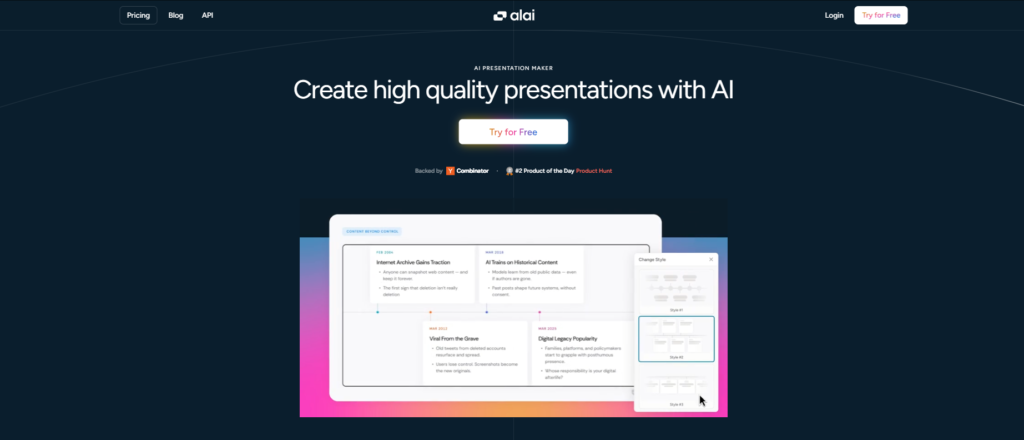
Alai is built for that workflow. Not the prompt-to-slide demo. The actual workflow.
For teams evaluating best AI presentation makers for enterprise, the sales-team case is where the gap between Alai and the rest of the category is widest. Enterprise sales decks need three things at once: speed, brand consistency, and deal-specific messaging. Most tools deliver one. Some deliver two. Alai is the only one in the category that holds all three across a 30-person sales org.
What Alai actually does for sales teams
Alai ingests existing PowerPoint templates, approved slide libraries, and brand assets, and rebuilds them inside its design system. Pixel by pixel, so the customer proof slide the team has refined across two years of deals stays exactly as it was, but now available as a building block the AI can pull from.
From there, a rep can drop in CRM notes, a discovery call summary, the buyer’s role, the industry, and the competitor in play, and Alai turns that into a draft built from approved material. Not a generic AI deck with the logo swapped. A deck that pulls the case study from the buyer’s industry, the ROI framing that maps to their pain point, the security slide because the buyer is in healthcare, and the implementation timeline because the deal is going to procurement next.
What that replaces:
- The hour of folder-digging. Approved assets are already inside the system. No one is hunting for the latest version of the comparison slide in Slack.
- The manual personalization pass. Industry, role, and pain point are signals the AI uses to select proof, not search filters the rep applies after.
- The design cleanup tax. Output stays inside the brand system without sales enablement reviewing every deck before send.
This matters because the alternative isn’t “rep builds a slightly worse deck.” The alternative is the rep sends the generic master deck because they ran out of time, and the deal stalls on the second call.
How Agent Mode handles the iteration loop
Sales decks never end at draft one. After discovery, the opening needs to shift. After the manager review, slide four needs to split into two. After the buyer’s pricing objection on the call yesterday, the ROI slide needs a stronger version. After the technical review, the security section needs to come earlier.
Most tools hand the rep back to a manual editor for every one of those edits. Agent Mode handles them through plain text across the full deck. Split this slide. Move the security section ahead of pricing. Rewrite the opening for a CFO audience. Add the case study from the financial services deck.
The deck-wide context is the part that matters for conversion. Sales decks have a story arc: buyer problem to business impact to proof to solution fit to next step. Edit slide by slide and that arc breaks on round three. Alai reads the whole deck before it acts, so a structural change doesn’t strand the slides around it and the story still moves the way the rep intended.
Why brand consistency is a sales conversion issue, not a marketing one
Buyers notice when a deck looks inconsistent. Mismatched spacing, an outdated logo on slide three, a font weight that shifts between sections, a chart that clearly came from a different deck: every one of those tells the buyer something about how the company operates. Usually nothing flattering.
For an enterprise deal worth seven figures over three years, a deck that looks like it was assembled in a hurry is a credibility tax the rep didn’t budget for.
Alai’s design system applies typography, spacing, color usage, logo placement, and layout rules automatically across every edit. The rep doesn’t need to know the brand book. The deck stays on-brand because the brand is the layer underneath every AI action, not a checklist someone enforces after the fact. Reps personalize more often, design review queues shrink, and decks ship looking like the company built them on purpose.
When deck creation needs to scale past one rep at a time
The workflow above assumes a rep opens Alai, drops in deal context, and builds a deck. That works for high-stakes opportunities. It does not work when sales ops needs 400 personalized QBR decks shipped in a week, or when every closed-won deal should trigger an onboarding deck automatically, or when the SE team wants to generate a technical deep-dive from a Salesforce account record the moment the deal hits stage three.
That’s where Alai’s API, MCP server, and A2A integration change the math.
API. Generate decks programmatically from any system that holds deal context: Salesforce, HubSpot, Gong, Clari, an internal CRM, a data warehouse. Every deck still comes out inside the brand system, built from approved assets, with the buyer-specific signals applied.
MCP server. Connect Alai to Claude, Cursor, or any LLM client and generate decks inside the same workflow a rep already uses for buyer research. A rep can ask Claude to summarize the last three calls with an account, pull the relevant case studies, and generate a tailored deck in the same conversation.
A2A integration. Trigger deck generation from internal agent workflows. A sales agent finishes qualifying a lead, hands off to a presentation agent, deck lands in the rep’s inbox before the discovery call. No human in the loop for the assembly step. The rep walks in with a deck built from approved material, personalized to the account, ready to edit if the call surfaces something new.
The point isn’t automation for automation’s sake. It’s that sales decks at enterprise volume aren’t a creative exercise per deck. They’re a repeatable pattern with deal-specific inputs. Building them by hand, even with AI assistance, caps how many tailored decks the team can ship in a quarter. Wiring deck generation into the systems that already hold deal context removes that cap.
What Makes an AI Sales Deck More Likely To Convert
AI can help create the deck, but the deck still needs the right content.
The strongest sales decks usually include:
A Buyer-Specific Opening
Start with the buyer’s problem, not your company background. Show that the deck was built for their situation.
Relevant Proof
Use case studies, metrics, and examples that match the buyer’s industry, company size, or use case.
A Clear Business Impact Slide
Enterprise buyers need to see the outcome. That may include time saved, cost reduced, revenue impact, risk reduction, or productivity gained.
Role-Specific Messaging
Different stakeholders care about different things. AI can help create versions for finance, operations, technical teams, and executive buyers.
A Strong Before-and-After Story
Show what the buyer is dealing with now and what improves after the solution is adopted.
A Clear Next Step
The deck should not end vaguely. It should guide the buyer toward a pilot, technical review, pricing discussion, stakeholder meeting, or approval process.
What Sales Teams Should Not Fully Automate
AI should not replace sales judgment.
Enterprise teams should keep humans responsible for:
- Deal strategy
- Pricing decisions
- Sensitive claims
- Legal or compliance language
- Competitive positioning
- Final proof review
- Relationship context
- Final next step
AI is best at reducing repetitive deck work. Sales teams are still responsible for understanding the buyer and shaping the deal.
How to Measure Whether AI Sales Decks Are Working
Enterprise teams should measure AI deck workflows by business impact, not just speed.
Useful metrics include:
- Time to first draft
- Proposal turnaround time
- Number of personalized decks sent
- Rep adoption rate
- Reduction in design review requests
- Deck engagement analytics
- Slide drop-off points
- Follow-up speed after calls
- Sales cycle velocity
- Win rate by deck type
If AI only helps teams create more decks, that is not enough.
The better goal is to help reps create more relevant decks faster, with less manual work and more consistent quality.
Final Thoughts
Enterprise sales teams do not need more generic sales decks.
They need a faster way to turn approved content, real deal context, and strong sales judgment into presentations that feel specific to each buyer.
AI helps when it removes the manual work around deck assembly, personalization, formatting, and brand consistency.
The best sales deck workflow is not fully automated. It is AI-assisted, brand-safe, and guided by human sales strategy.
That is how enterprise teams create sales decks that do more than look good. They support the conversation, answer the buyer’s real questions, and move the deal forward.
FAQs
How are enterprise sales teams using AI for sales decks?
Enterprise sales teams use AI to create first drafts, personalize messaging, summarize deal context, reuse approved sales assets, update follow-up decks, and keep presentations on brand.
Can AI personalize sales decks from CRM data?
Yes. AI can use CRM notes, account details, call summaries, buyer pain points, industry context, and deal stage to help create more relevant sales decks. Teams should still review the final deck for accuracy.
What makes a sales deck convert better?
A strong sales deck focuses on the buyer’s problem, uses relevant proof, explains business impact, handles likely objections, and ends with a clear next step.
Which AI presentation tool is best for enterprise sales teams?
Alai is a strong fit for enterprise sales teams because it supports approved asset use, branded deck creation, Agent Mode editing, design-system consistency, workflow integrations, and PDF/PPT export.
Should sales reps still review AI-generated decks?
Yes. AI can speed up deck creation, but sales reps should still review the story, pricing, proof, claims, and next steps before sending a deck to a buyer – at least for the first few decks.