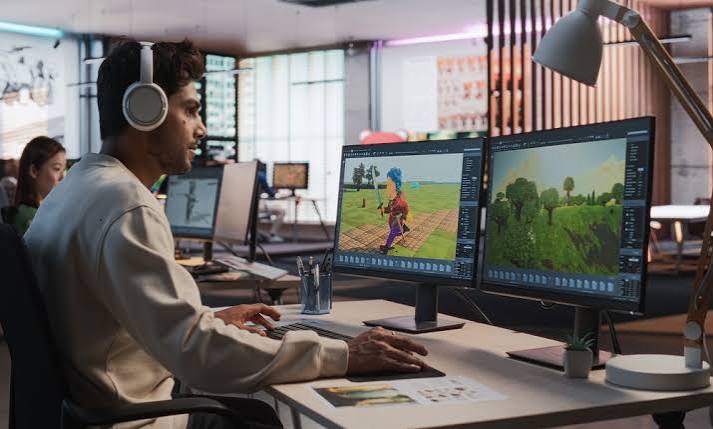
A game development project can start with a one-page concept, a playable prototype, or an existing title that needs new content. What the studio delivers depends on that starting point. One project may need a team to design the core gameplay, create original artwork, and build a mobile release from scratch. Another may only need help adding multiplayer or improving performance on older phones. These projects call for different teams, timelines, and budgets.
When comparing game development services in India, ask what each studio will deliver at each stage. A proposal that lists “multiplayer” should explain how players join a match, what happens when someone disconnects, and whether the price includes server setup. A proposal that includes “art” should identify which assets the studio will create and which files you’ll receive. From the first prototype to post-launch updates, the seven areas below explain what a studio can handle, what you’ll need to decide, and where to look for gaps before approving a scope of work.
1. Game Concept, Design, and Prototyping
Pre-production turns a game idea into something the team can build and test. The studio defines the target audience, platform, controls, and rules that shape each session. A small playable prototype lets people try the central mechanic before the team invests in finished artwork or additional levels. Feedback at this stage can change how the game plays and what the first release needs.
Define what players do in each session
Describe the actions players repeat, the choices they make, and the rewards they earn. Test whether a new player can understand the goal and wants to play another round.
- Agree on the genre, audience, and target platforms.
- Document the controls, rules, progression, and win conditions.
- Decide which mechanic the first playable build will demonstrate.
- Set a review milestone before approving full production.
2. Game Art, Animation, and Audio Production
Art production can include characters, environments, menus, icons, visual effects, and animation. Audio work may include music, sound effects, and cues that tell players when they’ve completed an action. The scope depends on the visual style, the amount of original content, and the devices the game must support. For example, each new character may require several animations, portraits, and interface assets.
Agree on an asset list
List the characters, environments, interfaces, and sounds needed for launch. Specify which assets will be made from scratch, which can be licensed, and which source files you expect to receive.
- Approve a sample character or scene before commissioning the full set.
- Specify animation states such as idle, movement, and victory.
- Include tutorials, settings, and results screens in the interface scope.
- Clarify who will provide music, voice recordings, and localization.
3. Gameplay Programming and Platform Development
Developers turn the design into a game players can install and use. Their work may cover controls, scoring, save systems, tutorials, difficulty, and progression. Platform development also includes adapting the game to different screen sizes and input methods. A studio may use one engine across Android, iOS, or other platforms, with separate work for platform integrations, build preparation, and device testing.
Define the launch build for each platform
Tell the studio which platforms and devices you want to support first. Confirm how the game should behave when players pause, close the app, or come back after an interruption.
- Specify touch, keyboard, or controller support where relevant.
- Agree on where game progress is saved and restored.
- Identify platform-specific features such as achievements or sign-in.
- Request playable builds during production so you can review the experience.
4. Multiplayer, Backend, and Admin Tools
Online features can require work on both the game and the systems it connects to. A multiplayer project might include player accounts, private rooms, matchmaking, live matches, and leaderboards. An admin dashboard may allow staff to manage events and review player reports. The scope depends on how players interact, how much activity the backend must handle, and who will operate it after release.
Document what happens when a match is interrupted
Decide whether a disconnected player can rejoin, how long the other players will wait, and how the game records the result if the match ends before everyone can finish playing.
- Choose between real-time matches, turn-based play, or both.
- Define private invitations, matchmaking rules, and room limits.
- Specify what administrators can view, edit, and manage.
- Ask the studio to separate backend development from recurring hosting costs.
5. Monetization and Game Analytics
A studio can build the features behind a paid game, in-app purchases, subscriptions, or advertising. Each model has different requirements, from restoring purchases to granting a reward after a completed ad. Analytics helps your team see where players struggle, leave, or return. Agree on what you want to learn from the launch so developers can capture the right events while building the game.
Connect each tracked event to a decision
Choose events that help you answer a specific question. For example, tracking where players quit the tutorial can show which instruction or mechanic deserves a closer look in the next update.
- Define when players see ads and how they earn rewards.
- Decide which items or content are available for purchase.
- Test interrupted purchases and confirm that rewards are granted correctly.
- Track tutorial completion, match outcomes, and repeat sessions as relevant.
6. Game Testing, Optimization, and Release
Testing covers how the game runs and how it feels to play. A studio may check frame rates, loading times, controls, save behavior, and gameplay balance. Multiplayer titles also need testing under weak connections and when several players join together. Release work can cover store assets, submission builds, and fixes that come out of review. Confirm which tasks the studio’s proposal includes.
Set clear criteria for release
Agree on the devices and game modes the team will test. Define how you’ll judge performance and which issues must be resolved before the game is approved for release.
- Playtest tutorials and early levels with people unfamiliar with the game.
- Check low-memory devices and interrupted internet connections where relevant.
- Verify every purchase, reward, and progression path included at launch.
- Assign ownership for store listings, submission, and release approval.
7. Post-Launch Support, Updates, and Handover
After launch, a studio may fix defects, improve performance, release new levels, or run timed events. The work depends on how often you plan to update the game and who will manage it day to day. Agree on which support comes with the initial build, how new features are priced, and what your team needs to operate the game independently.
Confirm what your team receives at handover
List the files, accounts, and instructions you’ll need to build and update the game. Ask who will own the store accounts, source repository, hosting, analytics, and paid third-party subscriptions.
- Request source code, agreed art files, and build instructions.
- Confirm how bugs reported after launch will be handled.
- Define who reviews player feedback and prioritizes fixes.
- Scope seasonal events and new content separately from routine support.
Final Thoughts
Before approaching a studio such as SM Gaming Services, write down what players should be able to do in the first release, which platforms you want to support, and what your team can manage after launch. Ask for an itemized scope that shows who handles gameplay, art, backend development, testing, and publishing. Get separate estimates for recurring costs and future content. If a feature is still uncertain, agree on a small prototype or test so you can make that decision before committing the full production budget.